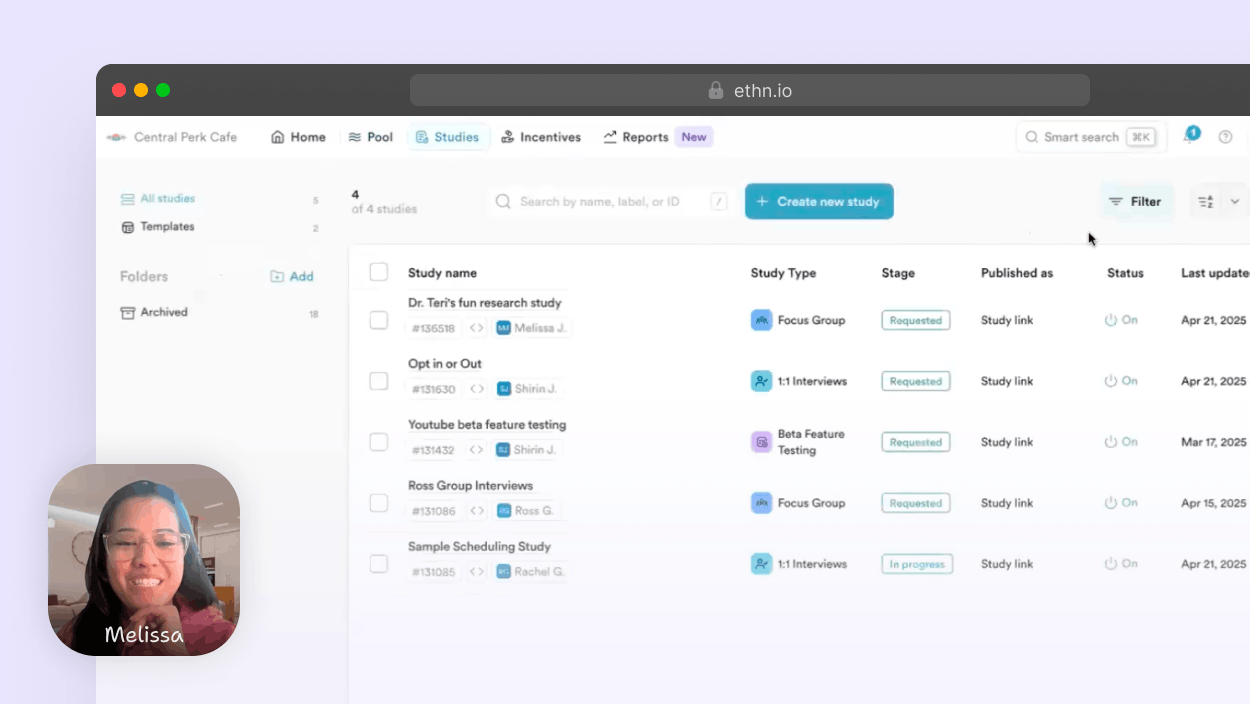
Implement Ethnio intercepts in minutes

Recruit the perfect participants for your research with powerful, flexible intercepts. Deploy on web or mobile apps with just a few lines of code.

Web intercepts setup

Using global JavaScript

  1. Configure

    From your study in Ethnio go to Publish and set publish method to Web Intercept. In the dropdown below, select one of the available Global JS codes

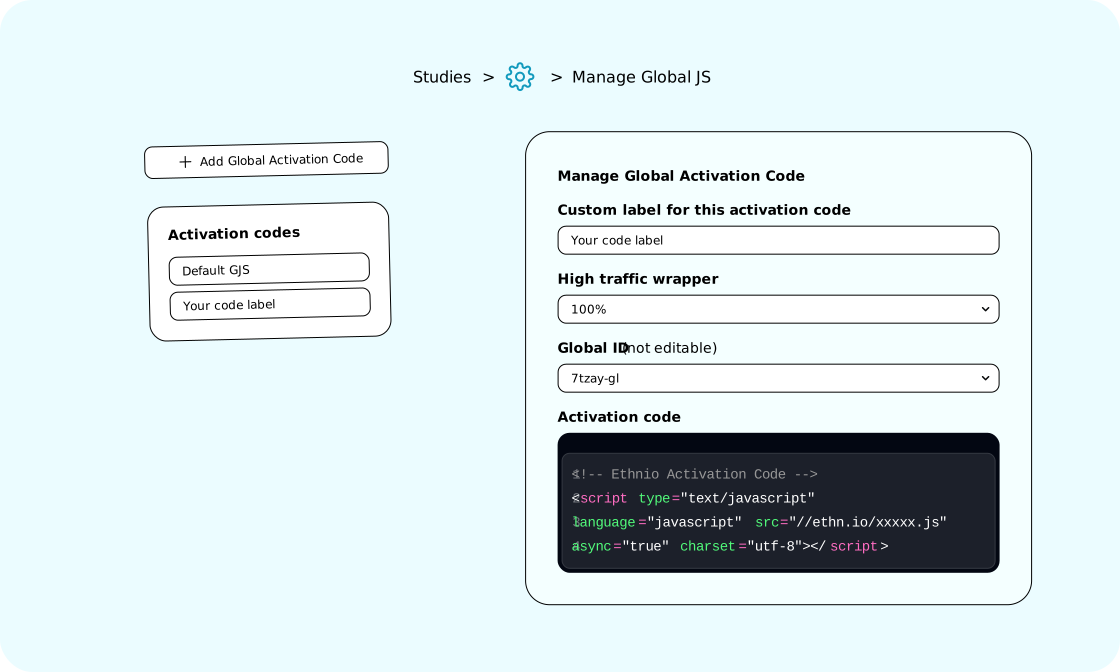
  2. Copy your unique activation code snippet

    Find it under Studies > Settings Settings > Manage Global JS

  3. Paste before

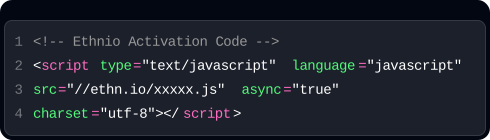
    Add the script tag at the end of your HTML before closing body tag

  4. Add URL targeting (optional)

    This is to decide for an individual study where the intercept should appear

Example code snippet

1 2 3 4 < "text/javascript" "javascript" "//ethn.io/xxxxx.js" "true" "utf-8"></ typelanguagesrcasynccharset script=====script <!-- Ethnio Activation Code -->
See our help article for more information

Used by research operations experts, program managers, screening pros, and research teams at:

Intuit
Cisco
Meta
AirBnB
California Department of Technology
eBay
YouTube
Toyota
No developer required

Deploy with Google Tag Manager

Marketing teams can implement Ethnio intercepts instantly using Google Tag Manager or any tag management system. No code deployment needed.

  1. Configure

    From your study in Ethnio go to Publish and set publish method to Web Intercept. In the dropdown below, select one of the available Global JS codes

  2. Create new tag

    In GTM, click "New Tag" and choose "Custom HTML"

  3. Paste Ethnio script

    Add your Ethnio snippet in the HTML field. Find it under Studies > Settings Settings > Manage Global JS

  4. Set trigger

    Choose "All Pages" or create custom page triggers

  5. Test & publish

    Use preview mode to test, then publish your changes

Example code snippet

Ethnio code snipped
See our help article for more information

Target with External Variables

Head to Targeting from your study in Ethnio to show your intercept to a specific region, device, or even pass data about your users to Ethnio using our custom targeting filters. Get exactly the right people in the right moment.

Target with External Variables

Add custom filters for targeting

Go beyond standard demographics and focus on the unique user segments by defining your own parameters.

Decide where & when intercepts appear

Control the visibility of your intercepts based on the visitor's device, browser, or geographic location.

Hidden external variables for tracking

Every click, open, and send is tracked per panel segment or invite.

Create global JS activation codes for web intercepts across all your studies

Create Global JS activation codes that can be used on multiple studies with URL targeting.

Create global JS activation codes for web intercepts across all your studies
Customer logo

“Customer obsession is key at Intuit, and Ethnio is a pivotal tool for intercept-based participant recruiting, allowing us to scale our customer insights”

Customer photo
Kristy Avgerinos
Design Research Manager, Intuit

Go past intercepts with our custom API

At a high level Ethnio API allows Enterprise customers to send automated Erasure, Opt Out, and Data Subject Requests via API

Handle panel management with the Ethnio API

  1. Enable API integration

    Head to Ethnio Account > Integrations > Ethnio API, and click “Connect”

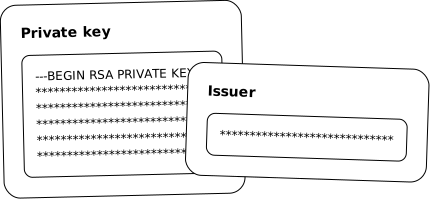
  2. Generate and store credentials

    Click “Generate Credentials” to get the private key and issuer. Store them securely, as they are only displayed once

  3. Generate your token

    Generate a timestamp for your token. This is a best practice for data security

  4. Make your first request

    Use the API key in the authorization header

Ethnio API credentials
For more information see help article
Full API documentation

Security & compliance you can trust

We know how seriously you treat your customer data. That’s why security is built into Ethnio from the ground up—with the certifications to back it up.

Read more about security

GDPR

Robust data encryption and granular access controls to ensure compliance with EU data protection regulations and safeguard the privacy of EU citizens.

HIPAA

Ethnio’s security and privacy standards meet the highest tier for research software, including every component required for HIPAA compliance.

CCPA

Ethnio is fully compliant with the California Consumer Privacy Act (CCPA), a new California privacy law, where applicable.

SSO

We support SSO via SAML 2.0 to manage vendor access for all your employees.

Swiss & Canadian data protection policy compliance

Full compliance with CPPA in Canada, FADP in Switzerland, and other international data frameworks.

Frequently asked questions

Absolutely. Ethnio’s panel management software is engineered to support small and large-scale research operations and diverse panel requirements. It is built to manage growth in data and user activity, meeting the ongoing needs of large teams overseeing hundreds of studies and extensive participant pools.

Our panel management solution features advanced performance management and team-based workflows, optimizing collaboration across research projects. You can ensure precise segmentation and dynamic updates with customization options, including tailored intercepts and screeners across 30+ targeting variables. Integration with essential tools like Zoom, Outlook, and Google Calendar streamlines research processes, boosting operational efficiency across large teams.

Additionally, Ethnio supports various panel types—general, specialized, and ad-hoc—ensuring that your panels remain current and relevant for targeted recruitment strategies and research at scale.

Absolutely. Our user research CRM integrates with the tools research teams rely on, including Outlook, Google Calendar, DocuSign, Zoom, and Slack. Additionally, our powerful API and webhooks enable seamless two-way data sync with any CRM.

Data handling is streamlined through automatic import/export with CSV and Google Sheets, reducing manual entry and enhancing accuracy. For privacy and compliance, integrations with tools like Transcend automate GDPR and CCPA processes, including user opt-outs based on their email address and data erasure (DSRs).

You can find the full list of integrations here

Ethnio also integrates with visitor management systems (VMS) to send participant consent and approval to front desk check-ins, streamlining the research process and reducing manual admin tasks.

Discuss VMS integration on an Enterprise call

We also offer support for custom integrations. Simply reach out, and our dedicated support team, supported by detailed developer documentation, will assist you. By connecting your preferred tools to your participant database, you can maintain your favorite methodologies and tools with your own real users, ensuring minimal disruption to your existing workflows and a seamless integration into your research stack.

At Ethnio, protecting your data is our top priority. We implement robust security measures to protect participant data, including advanced encryption for data in transit and at rest, SOC 2 certifications, and adherence to major data protection regulations like GDPR, HIPAA, and CCPA.

Customer data is stored in AWS US West (Oregon), a SOC 2 Type 2 accredited data center, and we have achieved SOC 2 Type 1 certification from A-LIGN. Regular security audits and detailed documentation on data breach response protocols further ensure that your sensitive data is protected.

To prevent unauthorized access, we support two-factor authentication (2FA).

Conduct research with confidence, knowing that your data is securely protected. For additional details on our security practices and compliance features, please visit Ethnio Security.

Ethnio centralizes your entire recruitment process into a single, easy-to-use platform. Gain complete control over every stage—from participant recruitment and onboarding to incentive distribution—eliminating the need for multiple systems and third-party platforms.

Import participant data from various sources, including global opt-in pages, recruiting agencies, marketing databases, customer opt-in pages, and tools like Qualtrics and Salesforce. Ethnio supports participant lists in multiple formats, such as CSV and Google Sheets, allowing for dynamic filters and segments to target participants based on custom attributes, survey results, and engagement history.

Onboarding is streamlined with customizable workflows for registration, consent collection, and initial engagement for smooth integration of new participants. Incentive management is flexible, with options for monetary compensation, gift cards, and other payment methods tailored to participant preferences and study needs.

Additionally, features like opt-out management and participant history tracking ensure compliance, helping you adhere to data protection regulations while managing the recruitment process end‑to‑end.

We understand that a successful transition involves more than just features. We’re here to support you throughout the implementation process and beyond, ensuring you fully leverage the platform to run research at scale. From the start, our team provides personalized one-on-one onboarding to facilitate a seamless setup. Our training sessions and resources equip your team with the knowledge needed to maximize Ethnio's capabilities. Once operational, you’ll have access to extensive support documentation and a dedicated customer success team ready to assist with any technical issues or best practices.

Let’s talk intercept implementation

Spreadsheets are out. Research Operations Platforms are in. Sign up for a live demo to see how Ethnio is transforming the way teams streamline workflows, enhance collaboration, and scale their impact.

Schedule a demo